30 Website Optimization Tips for Better Performance
In today’s digital world, your website’s performance can make or break your online success. Visitors expect fast-loading pages, smooth navigation, and a seamless user experience across every device. If your website is slow or difficult to use, users will leave before they even explore your content.
Website optimization is no longer optional — it’s essential for improving user experience, increasing conversions, boosting SEO rankings, and keeping visitors engaged.
Whether you run a blog, business site, or e-commerce store, these website optimization tips will help you improve speed, usability, and overall performance without overwhelming your audience or search engines.
Why Website Optimization Matters
A well-optimized website offers several major benefits:
- Faster page load times
- Better search engine rankings
- Higher conversion rates
- Improved mobile usability
- Lower bounce rates
- Better user experience
- Increased customer trust
According to industry studies, even a one-second delay in loading time can reduce conversions significantly. Search engines like Google also prioritize websites that deliver fast and user-friendly experiences.
Let’s explore the best ways to optimize your website effectively.
30 Website Optimization Tips for Better Performance
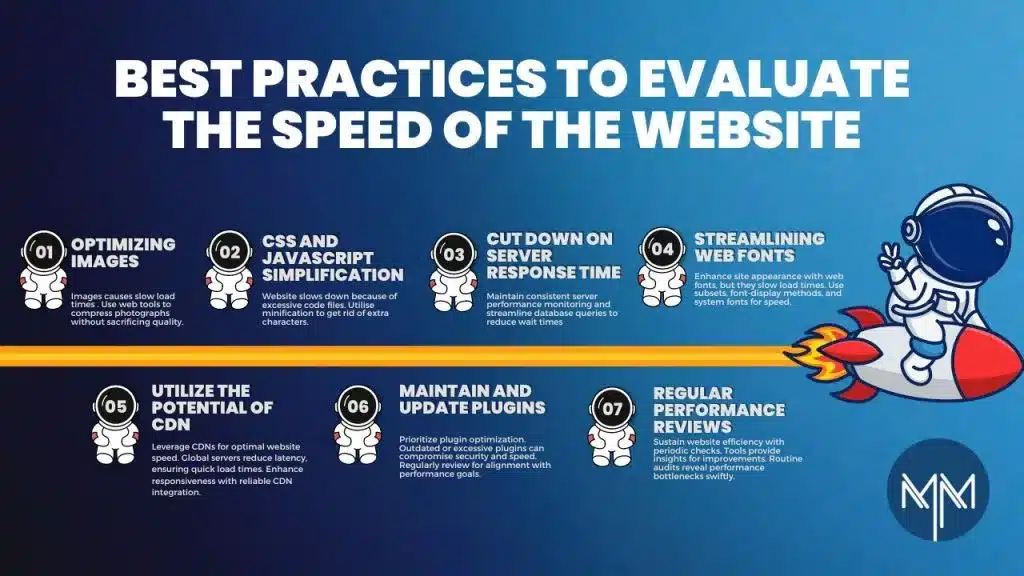
1. Improve Website Loading Speed
Website speed directly affects user experience and SEO. Use tools like Google PageSpeed Insights or GTmetrix to identify performance issues and optimize accordingly.
2. Compress Images Before Uploading
Large image files slow down websites dramatically. Compress your images using tools like TinyPNG or ImageOptim before uploading them.
Choose modern formats such as:
- WebP
- AVIF
- Optimized JPEGs
3. Use a Reliable Web Hosting Provider
Cheap hosting often results in slower performance and downtime. Invest in quality hosting with:
- Fast servers
- Good uptime
- CDN support
- Scalable resources
4. Enable Browser Caching
Browser caching stores website files locally on users’ devices, reducing loading times for repeat visitors.
Caching helps:
- Improve speed
- Reduce server requests
- Enhance user experience
5. Minify CSS, JavaScript, and HTML
Minifying removes unnecessary spaces and code characters to reduce file sizes and improve performance.
Tools like:
- WP Rocket
- Autoptimize
- Minify Code
can automate this process.
6. Use a Content Delivery Network (CDN)
A CDN distributes your website files across global servers, reducing loading times for visitors in different locations.
Popular CDN providers include:
- Cloudflare
- BunnyCDN
- Amazon CloudFront
7. Optimize Your Website for Mobile Devices
Mobile traffic dominates the internet today. Your website should:
- Load quickly on smartphones
- Use responsive design
- Display readable text
- Feature mobile-friendly navigation
8. Reduce HTTP Requests
Every element on a page creates a server request. Reduce unnecessary:
- Scripts
- Fonts
- Plugins
- Images
to improve speed.
9. Optimize Website Fonts
Too many custom fonts can slow your website. Use:
- Limited font families
- System fonts when possible
- Optimized font loading
10. Remove Unused Plugins
Unused plugins can slow down your website and create security risks. Regularly audit and delete unnecessary plugins or extensions.
11. Use Lazy Loading for Images
Lazy loading delays image loading until users scroll down the page, improving initial page speed.
This is especially useful for:
- Blogs
- Galleries
- E-commerce stores
12. Optimize Your Database
Over time, databases collect unnecessary data that slows performance.
Regularly:
- Remove spam comments
- Delete old revisions
- Optimize database tables
13. Enable GZIP Compression
GZIP compression reduces file sizes sent between the server and browser, speeding up website loading times significantly.
14. Fix Broken Links
Broken links hurt SEO and frustrate users. Use tools to identify and repair:
- 404 errors
- Redirect loops
- Missing pages
15. Improve Internal Linking
Internal links help users navigate your site and improve SEO by distributing page authority effectively.
Link to:
- Relevant blog posts
- Product pages
- Service pages
16. Optimize Meta Titles and Descriptions
SEO-friendly titles and descriptions increase click-through rates from search engine results pages.
Include:
- Primary keywords naturally
- Clear messaging
- Action-oriented language
17. Use Clean URL Structures
Simple URLs are easier for users and search engines to understand.
Good example:
yourwebsite.com/website-optimization-tips
Avoid:
yourwebsite.com/page?id=12345
18. Optimize Above-the-Fold Content
The content users see first should load immediately. Prioritize visible elements before loading secondary resources.
19. Reduce Redirects
Too many redirects increase loading times and harm performance.
Keep redirects:
- Minimal
- Organized
- Necessary only
20. Improve Website Security
Secure websites perform better and build user trust.
Use:
- HTTPS
- SSL certificates
- Security plugins
- Firewall protection
21. Optimize Video Content
Videos can slow websites significantly if not optimized.
Best practices:
- Compress videos
- Use external hosting platforms
- Enable lazy loading
22. Use Structured Data Markup
Structured data helps search engines understand your content better and may improve visibility through rich snippets.
23. Create High-Quality Content
Website optimization isn’t just technical. Valuable content keeps visitors engaged and improves SEO naturally.
Focus on:
- User intent
- Readability
- Helpful information
24. Improve Navigation Simplicity
Visitors should find information quickly.
Use:
- Clear menus
- Logical page hierarchy
- Simple navigation structures
25. Monitor Website Analytics
Track performance using:
- Google Analytics
- Google Search Console
- Heatmaps
- SEO tools
This helps identify optimization opportunities.
26. Reduce Pop-Ups and Intrusive Ads
Aggressive pop-ups hurt user experience and may increase bounce rates.
Use pop-ups strategically and sparingly.
27. Optimize Call-to-Action Buttons
Your CTA buttons should:
- Stand out visually
- Use actionable text
- Be easy to click on mobile devices
Examples:
- Get Started
- Download Now
- Learn More
28. Test Website Performance Regularly
Optimization is ongoing. Regular testing helps maintain speed and usability as your site grows.
Check:
- Page speed
- Mobile responsiveness
- Broken links
- SEO health
29. Keep Your Website Updated
Outdated themes, plugins, or CMS versions can reduce performance and create security vulnerabilities.
Always install updates promptly.
30. Focus on User Experience First
The ultimate goal of website optimization is delivering an excellent user experience.
Prioritize:
- Fast loading
- Easy navigation
- Helpful content
- Mobile usability
- Accessibility
When users enjoy your website, search engines notice too.
Step-by-Step Guide to Website Optimization
If you’re unsure where to begin, follow this simple optimization process.
Step 1: Audit Your Website
Use tools like:
- Google PageSpeed Insights
- GTmetrix
- Lighthouse
Identify major speed and usability issues.
Step 2: Optimize Images and Media
Compress files, enable lazy loading, and reduce oversized media content.
Step 3: Improve Hosting and Caching
Upgrade hosting if necessary and activate browser caching.
Step 4: Clean Up Plugins and Scripts
Remove unnecessary plugins and optimize code files.
Step 5: Improve Mobile Experience
Test your website across multiple devices and screen sizes.
Step 6: Strengthen SEO Elements
Optimize:
- Titles
- Meta descriptions
- URLs
- Internal links
Step 7: Monitor Results
Track improvements using analytics and continue refining performance over time.
Common Website Optimization Mistakes to Avoid
Many website owners unintentionally damage performance by making avoidable mistakes.
Here are common issues to watch out for:
- Uploading massive image files
- Using too many plugins
- Ignoring mobile optimization
- Choosing poor hosting services
- Neglecting SEO basics
- Overloading pages with animations
- Forgetting regular maintenance
Avoiding these mistakes can significantly improve your website’s performance.
FAQs About Website Optimization
What is website optimization?
Website optimization is the process of improving a website’s speed, usability, SEO, and overall performance to create a better user experience and increase conversions.
Why is website speed important?
Website speed affects:
- User experience
- Search rankings
- Bounce rates
- Conversion rates
Slow websites often lose visitors quickly.
How can I improve my website performance quickly?
Start by:
- Compressing images
- Using caching
- Removing unnecessary plugins
- Upgrading hosting
- Using a CDN
Does website optimization help SEO?
Yes. Search engines prioritize websites that load quickly, work well on mobile devices, and provide excellent user experiences.
How often should I optimize my website?
Website optimization should be ongoing. Regular audits help maintain performance as your website evolves.
Final Thoughts
Website optimization is one of the smartest investments you can make for long-term online success. A fast, user-friendly website improves customer satisfaction, increases conversions, and strengthens your search engine visibility.
You don’t need to implement every optimization tip overnight. Start with the basics, monitor your progress, and continuously improve your site over time.
By applying these 30 website optimization tips, you’ll create a stronger, faster, and more effective website that delivers better results for both users and search engines.