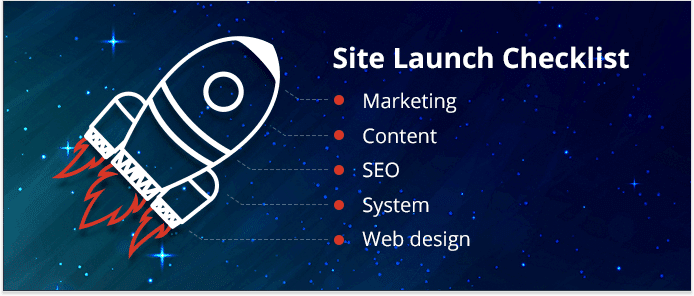
Is Your Website Ready to Go Live? A Final Launch Checklist
Launching a website is exciting—and a little nerve-wracking. After weeks (or months) of design, development, and revisions, you’re finally staring at the “go live” moment. But how do you really know your website is ready for the world to see?
That’s where a final launch checklist comes in.
A successful website launch isn’t about perfection; it’s about preparedness. This guide walks you step by step through everything you should confirm before going live—covering strategy, content, design, performance, SEO, security, and post-launch readiness. Whether you’re a business owner, marketer, or developer, this checklist will help you launch with confidence instead of crossing your fingers.
Why a Final Website Launch Checklist Matters
Once your site is live, first impressions happen fast. Visitors decide in seconds whether to stay, trust you, or leave. Search engines begin crawling immediately. Potential customers might land on your homepage the same day.
A final checklist ensures:
-
Your site reflects your brand professionally
-
Users can navigate and convert easily
-
Search engines can find and understand your content
-
Technical issues don’t undermine credibility
In short, it helps you avoid launching a site that looks finished but isn’t truly ready.
Step-by-Step: Is Your Website Ready to Go Live?
1. Your Goals and Purpose Are Clear
Before checking technical details, confirm the fundamentals.
Ask yourself:
-
What is the primary goal of this website?
-
What action should users take?
-
Is that action obvious on every key page?
Whether it’s booking a call, making a purchase, or signing up for a newsletter, your site should guide users clearly toward that outcome.
Quick check: If a first-time visitor had 10 seconds, would they understand what you do and what to do next?
2. Content Is Complete, Accurate, and Proofread
Incomplete or placeholder content is one of the most common launch mistakes.
Confirm that:
-
All pages are finished (no “Lorem ipsum” anywhere)
-
Headings clearly explain each section
-
Spelling, grammar, and punctuation are correct
-
Brand voice is consistent across pages
-
Contact information is accurate
Pay special attention to:
-
Homepage
-
About page
-
Services or product pages
-
Contact page
-
Legal pages (privacy policy, terms)
Tip: Read content out loud—it’s one of the best ways to catch awkward phrasing or missing words.
3. Navigation Is Simple and Intuitive
If users can’t find what they’re looking for, they won’t stick around.
Check that:
-
Main navigation labels are clear and concise
-
Menu items link to the correct pages
-
There aren’t too many choices at once
-
Footer navigation is complete and helpful
Try this test: Ask someone unfamiliar with the site to find a specific piece of information. If they struggle, your navigation needs refinement.

4. Design Is Consistent and On-Brand
Visual consistency builds trust.
Before launch, review:
-
Fonts (limited, readable, consistent)
-
Colors (match brand guidelines)
-
Button styles (same shape, color, hover states)
-
Spacing and alignment
-
Image quality and relevance
Your site doesn’t need to be flashy—it needs to feel intentional and professional.
5. Mobile Responsiveness Is Fully Tested
More than half of web traffic happens on mobile devices. A site that looks great on desktop but breaks on mobile is not ready to go live.
Test your website on:
-
Smartphones (iOS and Android if possible)
-
Tablets
-
Different screen sizes
Look for:
-
Readable text without zooming
-
Easy-to-tap buttons
-
Properly stacked layouts
-
No horizontal scrolling
Google also prioritizes mobile-friendly websites, making this essential for SEO.
6. Performance and Load Speed Are Optimized
Speed matters—to users and search engines.
Before launch:
-
Compress images
-
Remove unused plugins or scripts
-
Enable caching (if applicable)
-
Test page speed using reliable tools
Pay attention to:
-
Homepage load time
-
Large images or videos
-
Third-party embeds slowing things down
A slow site can undo all your hard work before visitors even see it.
7. SEO Basics Are in Place
You don’t need advanced SEO before launch, but the fundamentals must be covered.
Confirm that:
-
Each page has a unique title tag and meta description
-
Headings follow a logical structure (H1, H2, H3)
-
URLs are clean and readable
-
Images include descriptive alt text
-
Only one version of the site is indexable (no duplicates)
Also ensure:
-
Your site is not blocked by “noindex” or staging settings
-
An XML sitemap is generated
-
Analytics and search console tools are ready to connect
SEO is an ongoing process, but launch day sets the foundation.
8. Forms, Buttons, and Links All Work
Nothing kills credibility faster than a broken form.
Test every:
-
Contact form
-
Newsletter signup
-
Checkout process
-
Call-to-action button
-
Internal and external link
Confirm:
-
Form submissions go to the correct email or CRM
-
Confirmation messages appear
-
Required fields work properly
-
Error messages are clear and helpful
Test multiple times, on multiple devices.
9. Security and Trust Signals Are in Place

Visitors need to feel safe interacting with your site.
Before going live:
-
Install and test SSL (HTTPS)
-
Ensure forms are secure
-
Update all plugins, themes, and software
-
Remove default logins and weak passwords
-
Privacy policy
-
Terms and conditions
-
Testimonials or reviews
-
Clear contact information
Security isn’t just technical—it’s about confidence.
10. Analytics and Tracking Are Set Up
If you can’t measure it, you can’t improve it.
Make sure:
-
Analytics software is installed
-
Key events are tracked (form submissions, purchases)
-
Goals or conversions are defined
-
Cookie consent (if required) is in place
This allows you to evaluate performance from day one instead of guessing later.
11. Backup and Rollback Plans Exist
Even with preparation, things can go wrong.
Before launch:
-
Create a full site backup
-
Know how to restore it
-
Confirm hosting support details
-
Document key credentials securely
Having a safety net turns potential disasters into minor hiccups.
12. You’re Ready for Post-Launch Improvements
A website is never truly finished.
Ask yourself:
-
Do I have a plan for updates and improvements?
-
Who will handle bug fixes or content changes?
-
How will feedback be collected?
Launching isn’t the end—it’s the beginning of real-world learning.
Frequently Asked Questions
How do I know if my website is really ready to go live?
If your core goals are clear, content is complete, the site works smoothly across devices, and there are no major technical or usability issues, you’re ready. Minor tweaks can always happen after launch.
Should I wait until everything is perfect?
No. Waiting for perfection often delays valuable feedback and growth. A well-prepared website that meets user needs is better than a perfect site no one sees.
What’s the biggest mistake people make before launch?
Forgetting to test. Forms, mobile layouts, links, and page speed issues are often discovered after launch—when users find them first.
Can I improve SEO after the site goes live?
Absolutely. SEO is ongoing. The goal before launch is to ensure your site is crawlable, understandable, and structured correctly.
How soon should I update my site after launch?
As soon as you have real data. Monitor user behavior, analytics, and feedback in the first weeks to guide smart improvements.
Final Thoughts: Launch with Confidence
So, is your website ready to go live? If you’ve worked through this final launch checklist, the answer is likely yes.
Remember: launching a website isn’t about declaring it finished—it’s about making it ready to serve real users. With clear goals, solid fundamentals, and a plan to improve over time, your site can evolve, grow, and perform better with every update.
Take a deep breath, run through the checklist one last time, and when you’re ready—go live. 🚀